Minggu, 23 September 2012

Cara Upgrade Samsung Galaxy Mini ke Gingerbread 2.3.6

Setelah sebelumnya kita bahas mengenai cara Root Samsung Galaxy Mini (Froyo) nah.. berikut ini tips untuk upgrade Samsung galaxy Mini dari Froyo >> Ginggerbread, Untuk upgrade ini posisi Hp bisa masih Froyo belum Root atau setelah root, klo belum root, ntar ada cara nya root untuk yang udah upgrade lebih dulu ke ginggerbread setelah kita bahas upgrade yg berikut ini.. wokeh.. :D
Firmware info:
PDA: —–S5570JVKT1
PHONE: S5570OJVKT1
CSC: —–S5570FWDKT2
Version: -Android 2.3.6 Gingerbread
The default languages of this ROM:
- Dutch (Belgium, Nederland)
- Macedonian
- Czech
- Latvian
- Deutsch
- English UK
- English US
- Estonian
- Greek
- Finnish
- French
- Irish
- Icelandic
- Italian
- Kazakh
- Romanian
- Lithuanian
- Albanian
- Hungarian
- Croatian
- Norwegian (Bokmål)
- Polish
- Portuguese
- Ukrainian
- Russian
- Serbian
- Danish
- Slovene
- Spanish
- Swedish
- Turkish
- Slovak
- Korean
Syarat PENTING:
1. Sistem Operasi yang digunakan: Windows 7 32bit atau windows xp 32bit
2. gunakan kabel data ( saran ane, pake kabel data milik BB / NOKIA. kalau pake kabel data nokia, jangan pake kabekj data yg pendek.)
3. Install Software Samsung Kies di Komputer.
4. Pastikan baterai smartphone telah di charge PENUH atau minimal 90%
Sebelum ane lanjut ke tutorial, silahkan agan download dulu semua bahan yang dibutuhkan berikut ini.
★ Odin Multi Downloader
★ TASS_v1.0.ops
★ Firmware S5570JVKT1
Password Extract = (sampro.pl)
TUTORIAL
1. Extract file Firmware ( S5570JVKT1_0S5570JVKT1.rar )
Password = (sampro.pl)
2. Matikan smartphone Galaxy Mini (sampai benar-benar off — layar berwarna hitam — bukan warna abu- abu).
3. Masuk ke download mode dengan cara (Tekan tombol Volume Down + Home Button + dan Power Button secara bersamaan)
>> terus tekan sampai muncul gambar seperti ini:
capture-1.jpg
4. Hubungkan smartphone Galaxy Mini ke Komputer melalui kabel data USB.
5. Jalankan aplikasi Odin Multi Downloader v4.38.exe
>> Pastikan smartphone Galaxy Mini Anda Detected!!! Seperti pada gambar di dibawah – yang dilingkari.
capture-3.jpg
6. Klik tombol OPS lalu cari file “Tass_v1.0.ops” yang di download tadi. kemudian klik open.
7. Masukkan file firmware yang sudah di extract tadi.
★ Boot –> APBOOT_S5570JVK
★ Phone –> MODEM_S5570XWKT2
★ PDA –> CODE_S5570JVKT1
★ CSC –> GT-S5570-MULTI-
8. Klik tombol Start.
9. Tunggu proses flashing sampai selesai, yaitu sampai muncul tulisan PASS (Biasanya memakan waktu ± 5 menit).
10. Close aplikasi Odin Multi Downloader.
11. Lepaskan kabel data dan smartphone Galaxy Mini dari komputer.
12. Selesai. sekaran Galaxy Mini agan udah gingerbread 2.3.6
NOTE
Jika smartphone Galaxy Mini Anda bootlooping (nge restart terus muncul Logo Samsung), silahkan di cabut batrenya, kemudian masuk ke download mode, lalu wipe data / factory reset !
Pengalaman Harrie : pernah juga stelah upgrade nge-restrart mulu, klo ga berarti stabil2 aje :D , nah artinya file ini masih ada yg belum stabil, agar kinerjanya stabil, setelah postingan ini akan saya buatkan lagi tutorial cara agar ginggerbread anda stabil plus memory internal bisa bertambah dengan menambah memory external ke internal dengan partisi, jadi ga perlu khawatir full memory.. :D
Selamat mencoba.. Semoga Berhasil..

Marvel Merilis ‘Avengers Initiative,’ Seri Pertama Game Avengers

Sulit untuk membuat film berbiaya $1.5 milyar dan tidak mengharapkan beberapa produk yang berkaitan dengan film tersebut. Marvel, saat ini “merilis” game baru untuk Android berjudul “Avengers Initiative.” Aplikasi seharga $7 ini memiliki tokoh utama Hulk, sebagai pejuang lepas yang bertempur melawan beberapa penjahat terkejam yang mengincarnya, termasuk Wendigo, the Abomination, dan bahkan the infamous Skrulls. Game ini hanya tersedia untuk perangkat Android tertentu.
Sekedar ingin tahu, disamping game ini telah tersedia di Play Store, game ini nampaknya tidak aktif. Berikut ini daftar perangkat yang mendukung game tersebut (termasuk HTC One X, Galaxy S III, Nexus 7, dan banyak ponsel serta tablet unggulan lainnya), namun, game ini tidak bisa sekedar diinstall saja. Tidak umum untuk sebuah aplikasi untuk melakukan pra-peluncuran dengan muncul di Play Store tanpa didukung perangkat apapun, tapi MOMO berharap bahwa game ini akan segera tersedia. Berikut ini daftar lengkap produk yang akan mendukung game ini:
HTC One X
HTC Evo 4g
HTC Incredible 4g
LG G2x
LG Nitro HD
Motorola Droid 3
Motorola Droid RAZR
Motorola Droid Charge
Motorola Atrix 4g
Motorola Photon Q 4g
Samsung Galaxy Nexus
Samsung Galaxy SII
Samsung Galaxy SIII
Samsung Galaxy Note
Samsung Galaxy Tab 10.1
Samsung Galaxy Tab 7.7
Google Nexus 7
Asus Transformer Prime
Asus Transformer
Yang lebih menarik, Marvel mengatakan bahwa ini akan menjadi bagian pertama dalam “rangkaian acara lintas mobile gaming”. Masih belum jelas apakah episode-episode baru akan dirilis pada aplikasi ini sebagai konten tambahan, atau jika permainan baru dirilis. Masih belum pasti juga berapa banyak harga konten baru tersebut bila memang dirilis. Tapi warna game ini tetap menarik hati saya, yaitu hijau.
Marvel Merilis 'Avengers Initiative,' Seri Pertama Game Avengers Marvel Merilis 'Avengers Initiative,' Seri Pertama Game Avengers
Marvel Merilis 'Avengers Initiative,' Seri Pertama Game Avengers
Update: Menurut Droid Gamers, game tersebut akan diluncurkan hari ini, tapi mungkin akan ditunda. Yang mana menjelaskan mengapa halaman Play Store tetap diperbarui, tapi aplikasi itu sendiri tidak. Tidak ada janji pasti mengenai kapan aplikasi ini akan dirilis, tapi MOMO akan memantau bila memang dirilis.

Download Avengers Initiative

https://play.google.com/store/apps/details?id=com.disney.avengers_goo

Merubah Tampilan Android Froyo dan Gingerbread Menjadi Ice Cream Sandwich

Jika kamu ingin meniru tampilan dari Ice Cream Sandwich, tetapi kamu menggunakan Android device versi lama, khususnya bagi device Android yang tidak diupdate ke Ice Cream Sandwich, maka kamu dapat menggunakan aplikasi yang baru saja dikembangkan ini! Holo Launcher adalah aplikasi yang cepat, ringan, dan merupakan launcher mudah diganti dan disesuaikan, tidak cepat menghabiskan  baterai Android device kamu.
Holo-Launcher
Berdasarkan cadangan Android 4.0.4 ICS launcher, fitur dari Holo Launcher kebanyakan menampilkan keanggunan dan kehebatan ICS, seperti:
  • Full ICS Style
    Ikon ICS, Folder, Outlines, Drawer Tabs, dan sebagainya.
  • Custom Desktop Pages/Grid
    Lebih dari sembilan halaman desktop dan 10 x 10 grid.
  • Custom Drawer Portrait/landscape Grid
    Bisa membuat drawer grid yang berbeda pada layar portrait dan landscape.
  • Dock yang dapat di-scroll
    Lebih dari 7 ikon per halaman dan lebih dari 3 halaman.
  • Scrolling tanpa batas
    Melakukan Loop pada desktop/drawer/dock anda secara berkelanjutan.
  • Desktop Previews
    Pinch untuk mengakses desktop previews.
  • Backup and Restore
    Backup and restore settings dan shortcut anda.
  • Opsi pengaturan lain
    Pengingat, home key action, menyembunyikan label, dan sebagainya.
Holo-Launcher02
Launcher ini sangat kompatibel untuk dijalankan pada Android versi 2.2 ke atas. AM berani bertaruh bahwa banyak pengguna Froyo dan Gingerbread yang mendambakan menggunakan Ice Cream Sandwich. Bila anda adalah pengguna Honeycomb, maka anda juga bisa ikut bersenang-senang. Hal yang lebih luar biasa lagi, Holo launcher tidak memerlukan rooting.
Anda dapat mendownload Holo Launcher di Google Play Store secara gratis atau mengunjungi thread berikut.

Cara Mengupgrade Samsung Galaxy Fit S5670 dari OS Froyo Ke GingerBread


Jika kamu memiliki Samsung Galaxy Fit S5670 yang menggunakan OS Android Froyo 2.2, maka sekarang kamu dapat melakukan upgrade ke Android GingerBread 2.3.4 dengan langkah-langkah yang mudah berikut ini. Am(AndroidMobile) telah berhasil mengupgrade ponsel ke Android OS  Gingerbread.
Install_AndroidOS06
Perhatian: Tanggung sendiri resiko anda, karena bila ada sesuatu yang keliru, ponsel anda mungkin tidak akan dapat digunakan kembali.
Berikut cara mengupgrade OS Android Froyo Galaxy Fit ke OS GingerBread:
Langkah 1: matikan ponsel dan cabut Memory card (SD Card) dan SIM Card dari ponsel kamu.
Langkah 2: Download aplikasi Android 2.3.4 disini:
http://www.mediafire.com/?nuteothcwpakgvt
atau disini:
https://dl.dropbox.com/u/24623828/S5670XEKPG.zip
Langkah 3: ekstrak aplikasi yang sudah di download ke folder mana saja (jika password diperlukan untuk mengekstrak, isikan: “pradeepkumar.org” tanpa tanda petik, jika kamu mendownload dari dropbox atau “androidauthority.com”, jika kamu mendownload dari mediafire) sebagaimana pada gambar berikut.
Install_AndroidOS
Langkah 4: Buka aplikasi ODIN di dalam folder yang sudah diekstrak (Aplikasi ini akan terbuka) sebagaimana pada gambar berikut ini:
Install_AndroidOS02
Langkah 5: Hubungkan ponsel kamu ke komputermu dengan menggunakan kabel USB dari bawaan Samsung.
Langkah 6: Nyalakan telepon dalam “Downloading mode” (Tahan tombol volume ke bawah dan tombol center (Home) lalu tombol Power), maka ponsel kamu akan masuk ke downloading mode, kamu akan menyaksikan tampilan layar seperti ini:
Langkah 7: Tunggu beberapa saat, aplikasi ODIN akan mendeteksi ponsel kamu pada port COM sebagaimana yang ditunjukkan berikut ini:
Install_AndroidOS03
Pada saat saya melakukannya, yang tampil adalah COM 7 Port
Install_AndroidOS04
Langkah 8: Pilihlah OPS, BOOT, Phone, PDA, CSC sebagaimana yang dilingkari pada gambar di atas dan pilihlah file yang berkaitan dari folder yang sudah diekstrak. Ketika kelima file tersebut sudah dipilih, klik pada tombol “Start” yang dilingkari pada gambar di atas.
Langkah 9: Dalam 5 menit, Android 2.3.4 akan didownload ke ponsel kamu dan ponselmu akan melakukan restart dua kali). Tunggulah hingga anda tiba di Home Screen.
Di Home Screen, bahasa yang ditampilkan bukanlah bahasa Inggris (tapi jika anda ingin mengubahnya, bisa melalui Settings –>Locale and text –> Select Language)
Langkah 10: Pergi ke Settings –> About Phone –> dan lihatlah OS ponsel anda yang telah berubah menjadi 2.3.4 sebagaimana gambar berikut ini.
Install_AndroidOS05
Mudah bukan sebenarnya untuk mengupgdrade OS Android Samsung Galaxy Fit :). Semoga dengan adanya artikel ini, kamu merasa terbantu.

Trik mudah Untuk Melakukan Root Pada Samsung Galaxy S3 GT-I9300


Ingin mendapatkan kontrol penuh dari Samsung Galaxy S3mu yang baru? Kurang dari 10 menit, kamu bisa melakukan root dengan aman pada Galaxy S3 kamu yang baru dengan menggunakan Odin desktop program. Tertarik? Mari kita mulai prosesnya.
Root_Galaxy_S3
  • Pertama-tama, kamu perlu mendownload Odin. Ini merupakan program desktop yang mentransfer ponsel kamu dengan file yang dibutuhkan untuk root. Download disini.
  • Berikutnya, kamu perlu mendownload paket root. Download disini.
  • Unzip file Odin.zip menggunakan winzip atau tool lainnya yang serupa.
  • Unzip CF-Root-SGS3-vX.X.zip.
  • Bukalah Odin dengan mengklik file .exe.
  • Klik pada tombol PDA dan pilihlah CF-Root-SGS3-vX.X.tar.
  • Letakkan ponsel kamu dalam mode download (ponsel mati, lalu tekan tombol volume-down + home + power untuk melakukan booting – jika perangkat kamu meminta untuk menekan tombol guna melanjutkan, tekanlah tombol yang dirujuk)
  • Hubungkan (USB) ponsel ke computer.
  • Pastikan Repartition TIDAK dicentang.
  • Klik tombol start.
  • Nantikan Android melakukan booting.
Galaxy S3 kamu akan boot ke dalam ClockworkMod Recovery, nantikan prosesnya, karena ponsel kamu akan melakukan boot sekali lagi. Kamu akan bisa mengidentifikasi aplikasi Super User di app drawer kamu, berarti prosedur root yang kamu lakukan sudah berhasil.
Root_Galaxy_S3

WebcamMax 7.6.3.8 Full Activation


Kumpulan Software Gratis | WebcamMax 7.6.3.8 Full Activation | Do you have a webcam for your PC, or maybe your laptop is equipped with a webcam? Well this software maybe you should try. 7.6.3 WebcamMax is a multifunctional software for your webcam that its functions are so complete, ranging from pictures taken with a webcam, video recording, to give effect. In addition, WebcamMax also supports video streaming with multiple applications, such as Camfrog, Yahoo Messenger, MSN, AIM, Skype, ICQ, Stickam.
 
WebcamMax is a leading webcam program, is designed to help you get most of your webcam.

It enables you to add cool effects to Thousands of video for your live webcam chats or streaming video, and new effects are added keeping. You can show to your friends with you wearing a pair of cat's eyes, Becoming a two-heads weirdie or even in a wanted poster.

 
Dig more fun with it! It supports almost all popular webcam programs, Such as Windows Live Messenger, Skype, Yahoo Messenger, Camfrog, YouTube, Ustream, and JustinTV.

You can take snapshots or video clips with WebcamMax and directly share them on Facebook or Youtube.

WebcamMax also works as a virtual webcam. It enables you to show videos, pictures, computer screen or even multiple webcam videos to others during your live chats or streaming.

 
You can switch Among different sources with an easy click. What's more, you can also use your webcam on multiple webcam applications simultaneously with the help of WebcamMax.

WebcamMax will allow you to enable doodling as well, and you can paint on the video box directly. Paint at will on the video window, or stamp on it by choosing from the Dozens of examples provided.

Various Kinds of WebcamMax supports Webcams source sizes, ie 320x240, 640x480, 640x360, 352x288 and more to meet your different needs.

 
Key Feature:

Thousands of Effects:
· Thousands of cool effects for your live video chats and video recording. You can download Limitless effects at webcammax.com.

Video Recording:
· Record your fantastic videos with our show cool effects to broadcast on YouTube or webcammax.com.

Virtual Webcam:
· Share your desktop screen or video clips with family and friends through your Instant Messengers even without a real webcam.

 
Easy to Share:
· Directly share your video with family or friends on youtube.com. You can also upload and show your cool videos and photos on webcammax.com.

Doodling and PinP:
· Paint on the video box Freely and directly. You can also broadcast different sources at the same time with Picture in Picture feature.

Work for All:
· Work for almost all webcam programs Such as Windows Live Messenger, Skype, Yahoo Messenger, ICQ, Paltalk, Camfrog, YouTube, Ustream, JustinTV, and much more.

 
What's New in This Release:

· Some bugs fixed

Users are advised to pay attention while installing this ad-supported application:

· Offers to change the homepage for web browsers installed in the system to www.ask.com
· Offers to change the default search engine for web browsers installed in the system to Ask search engine
· Offers to download or install software or components (Ask Toolbar) That the program does not require to fully function
Actually I've never shared this software is WebcamMax 7.1.8.2 Full Version

Download WebcamMax 7.6.3.8 Full Software
Download WebcamMax 7.6.3.8 Patch Only

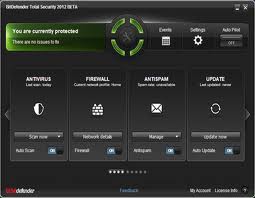
Bitdefender Total Security 2012 Final Full + Crack License Until 2045


Bitdefender Total Security 2012 Final Full + Crack License Until 2045
  Bitdefender Total Security 2012 Finals Full + Crack License Until 2045 | Bitdefender total security 2012 finals full crack license until 2045, one of the antivirus enough well-thought-of by computer users because really has fitur complete with maximal protection. bitdefender total security 2012 finals + crack this has many changes from previous version one other glaringest the display. angered like to what bitdefender total security 2012 these finals?

Bitdefender capitalizes on live and virtualized behavior-based detection, in addition to cloud-based services, to stop emerging e-threats that other products miss.
Bitdefender Total Security 2012 Final Full + Crack License Until 2045

Active Virus Control - Monitors processes behavior while they are running to detect new & unknown viruses
  • Rescue mode - Reboots your computer in a trusted environment, which is used for cleanup and restoration
  • Virtualized Browser - Isolates the browser from the operating system in a Bitdefender-provided environment to block web-based threats
  • Vulnerability Scanner - Checks for missing or outdated security software as well as potentially unsafe system settings
  • Antispam - Stops unwanted e-mail from reaching your Inbox
  • Two-way Firewall - Monitors your Internet connections and keeps strangers from accessing your Wi-Fi connection
  • Parental Control - Blocks inappropriate content, restricts Web access between certain hours, and helps parents remotely monitor their children's online activity
BitDefender Total Security 2012 Build 15.0.35.1486 Full Version + Crack + Activation Crack is an antivirus that provides total security for your computer from threats that may harm your computer such as viruses, worms, trojans, malware, hackers, and malicious threats from various sites.

Key-Features Bitdefender Total Security 2012 Final Full:

Crack Bitdefender Total Security 2012

Blocks viruses, spyware and spam
Halts ID theft attempts
Filters the links you receive from your Facebook and Twitter friends
Keeps kids safe with cutting-edge parental controls
online backup
Tunes up your PC for optimal speed & performance

Minimal system requirements Bitdefender Total Security 2012 Final Full:

Operating system: Microsoft Windows XP SP3 (32 bit), Vista (SP2), Microsoft Windows 7 (SP1)
CPU: 800MHz processor
Memory (RAM):
1 GB
Available free hard disk space: 1.8 GB free space (at least 800 MB on the system drive)

Recommended system requirements Bitdefender Total Security 2012 Final Full:

Bitdefender Total Security 2012

Operating system: Microsoft Windows XP SP3 (32 bit), Vista (SP2), Microsoft Windows 7 (SP1)
CPU: Intel Core Duo (1.66 GHz) processor or equivalent
Memory (RAM):
1 GB (Microsoft Windows XP)
1.5 GB (Microsoft Windows Vista and Microsoft Windows 7)
Available free hard disk space: 2.8 GB free space (at least 800 MB on system drive)

Software requirements Bitdefender Total Security 2012 Final Full:

Internet Explorer 7 and higher
Yahoo Messenger 8.1 and higher
Firefox 3.6 and higher
Thunderbird 3.0.4
Outlook 2007, 2010
Outlook Express and Windows Mail on x86
. Net framework 3

How to install the Crack Bitdefender Total Security 2012 Final Full:

Install the program to finish
Run the program
Disable / deactivate anti-virus protection in BitDefender 2012 you
restart the computer
Go to the "Safe Mode" (click F8 when booting)
Run the crack to run administrator, click the Year 2045
Restart the computer and log into Windows as usual
completed

Crack works on all versions of BitDefender, or use the Activator

How to install the Activator Bitdefender Total Security 2012 Final Full:

Bitdefender Total Security 2012

Install the program to finish
Run the program
Disable / deactivate anti-virus protection in BitDefender 2012 you
restart the computer
Go to the "Safe Mode" (click F8 when booting)
Copy activator to the program files BitDefender
Run the activator
Select the language to use, then click ok
Click activasi
Restart the computer and log into Windows as usual
completed

Download Bitdefender Total Security 2012 Final Full + Crack License Until 2045

New Update Link
Download Bitdefender Total Security 2012 32Bit
Download Bitdefender Total Security 2012 64Bit
Download Crack Crack License Until 2045
Download Activator Bitdefender Total Security 2012

Postingan Lebih Baru Postingan Lama Beranda